
1. Delete all icons/widgets on all homescreens and adjust Apex settings
Font: Roboto, it is required to be in a folder named fonts in your internal sd card, download here goo.gl/hI2jN5
Wallpapers: Use whatever you think looks good IYO
APEX SETTINGS
Homescreen:
Portrait grid 10x10
Horizontal and vertical margins are none
Wallpaper mode - single screen (non-scrolling)
Uncheck Show indicator
Check hide crosshair, hide notification bar, hide shadow, and hide icon labels
Uncheck Infinite scrolling
Dock settings:
Turn off Dock settings on the top right
Behavior settings:
Check Home key to default screen
Swipe up will show app drawer
Swipe down will show notifications
Advanced settings:
check Resize any widget
2. Only a single homescreen is needed for this
Tap and hold on homescreen
Tap widgets
Tap UCCW tap 3x3
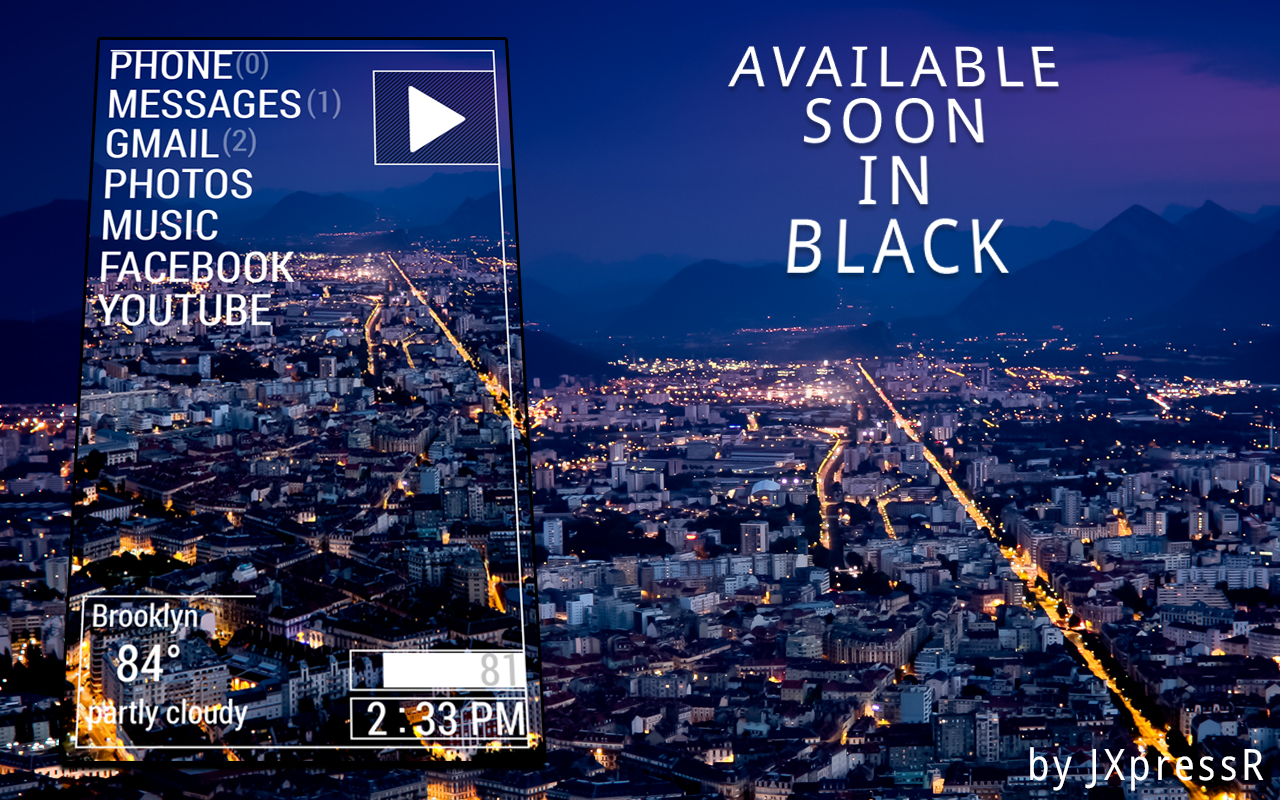
Select soul droid
Tap on UCCW "tap here"
Tap and hold onto the soul droid widget and adjust the size to fit the entire screen
***For Do It Yourself widgets, read step 3***
3. OPTIONAL Add the following widgets where ever you choose!!
Add battery time widget
Add menu
Add play button
Add weather info

No comments:
Post a Comment